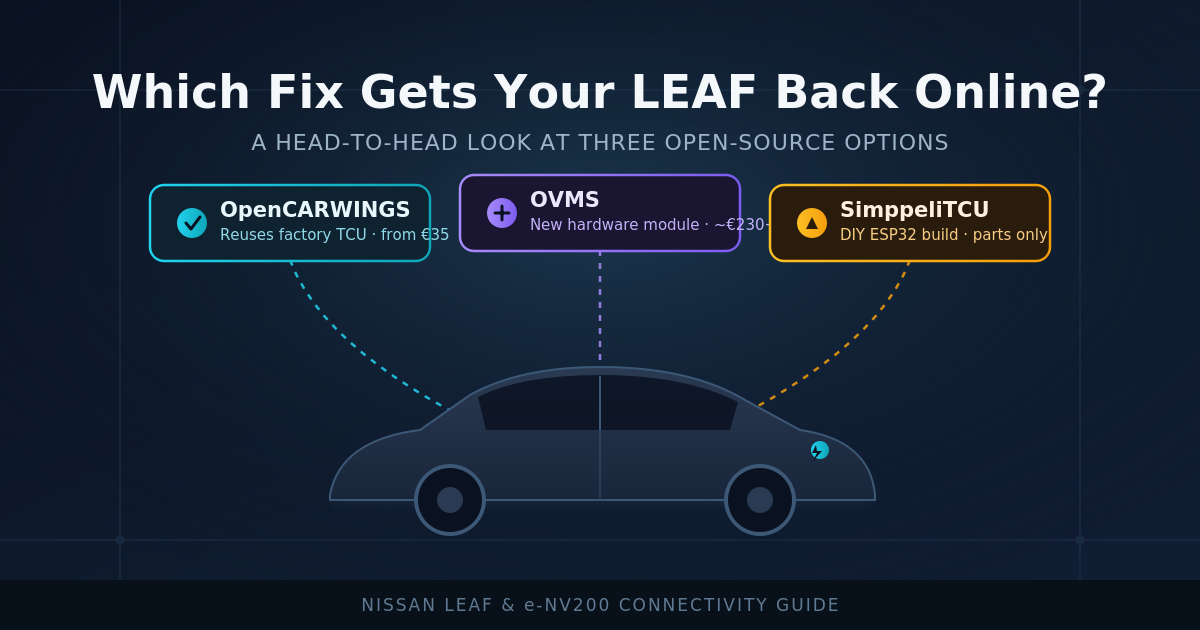
Once you start looking into life after NissanConnect, you’ll quickly discover that OpenCARWINGS isn’t the only community project trying to solve the “my EV lost its brain” problem. Two other names come up regularly: OVMS (Open Vehicle Monitoring System) and SimppeliTCU. Each takes a different approach, and picking the right one depends on how much hardware tinkering you’re up for and what features actually matter to you.
OpenCARWINGS: Reuses the Original Hardware
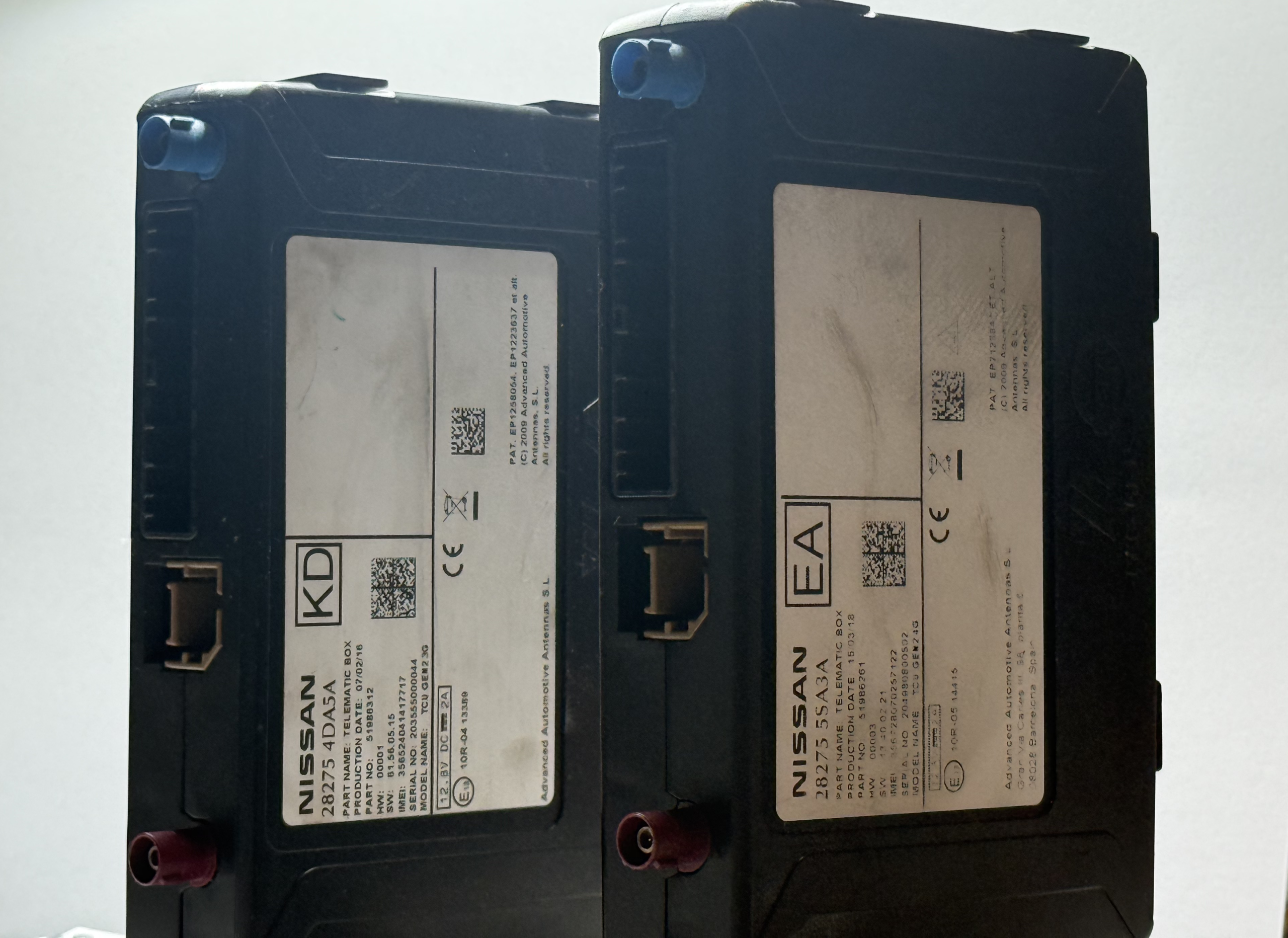
OpenCARWINGS works by keeping your car’s original Nissan TCU in place and simply pointing it at a new, independently-run server instead of Nissan’s discontinued one. That’s its biggest advantage: you’re not adding new hardware to the car, just giving the existing hardware a new home to phone.
Pros:
- Keeps the manufacturer-grade TCU that was designed and tested specifically for this car
- Restores familiar CARWINGS-style functionality: remote AC, remote charge start/stop, timers, and notifications
- Can also bring the in-car navigation head unit’s CARWINGS features back online
- Actively maintained, open-source, with both a hosted service and a self-hosting option
- Meaningfully lower risk of causing a malfunction while driving, because it doesn’t introduce new hardware onto the car’s CAN bus. You’re reusing the same TCU that Nissan itself designed, validated, and shipped from the factory for this exact vehicle — the original manufacturer already did the testing to confirm it won’t interfere with driving systems. Solutions that splice in a new third-party module have to earn that same level of trust from scratch.
Cons:
- Requires a replacement data SIM and TCU reconfiguration over OBD, if you want to do it yourself. You can let this for viaaq workshop specialists to handle, if you choose so.
- Newer TCU hardware with an eSIM may require soldering a physical SIM slot onto the board, which require special tools if done DIY. You can let this for viaaq workshop specialists to handle, if you choose so.
- Polling and command response times are faster than NissanConnect servers, but still mirrors the original system’s pace — you’re not getting brand-new performance, just the old and familiar performance restored
OVMS: A Broader EV Monitoring Platform
OVMS predates the NissanConnect shutdown by years and was built as a general-purpose open-source EV monitoring platform, supporting a range of electric vehicles beyond just Nissan’s lineup. Rather than reusing the factory TCU, OVMS typically involves installing a separate module that connects to the car’s OBD/CAN bus.
Pros:
- Mature project with support for multiple EV makes and models, not just Nissan
- Independent of any single manufacturer’s hardware quirks or discontinued modems
Cons:
- Some LEAF owners have reported inconsistent results on newer Gen2 hardware, with certain functions like accurate charging state not working reliably out of the box
- Most expensive option of them all
- Requires purchasing and installing a separate hardware module plus an additional wiring connection, rather than reusing what’s already in the car
- Support quality can depend heavily on which exact model year and generation you’re running
SimppeliTCU: The DIY Hardware Replacement
SimppeliTCU takes the most hands-on approach of the three: it’s a lightweight, open-source replacement for the TCU itself, built around a microcontroller board rather than reusing or modifying Nissan’s original unit.
Pros:
- Not dependent on aging original hardware at all — you’re building something new
- Fully open-source and transparent about how it works
- Appeals to owners who want to understand and control every part of the system
Cons:
- At the time of writing, it’s a genuine build-it-yourself project: sourcing the microcontroller board, a power adapter, a case, and soldering it all together — there’s no ready-made unit you simply purchase and plug in
- Best suited to owners with real electronics assembly experience, not casual DIYers
- As a newer, smaller project, it doesn’t yet have the years of accumulated community troubleshooting that OpenCARWINGS and OVMS have
What Does Each Option Actually Cost?
Feature comparisons only tell half the story — cost and convenience matter too, especially if you’re not planning to do the install yourself.
For OpenCARWINGS, the Viaaq workshop offers a straightforward, published pricing structure for owners who don’t want to do the TCU modification themselves:
- €35 for full setup and repair if you mail in your own TCU — they handle the SIM slot work, reconfiguration, and testing, then send it back ready to install.
- €76–80 if you’d rather just buy a pre-prepared, ready-to-install TCU outright and skip shipping your original unit at all.
- A 50% refund is available if you trade in your old TCU when buying a pre-prepared unit, which brings the effective cost of the buy-outright option much closer to the mail-in price.
For OVMS, there’s no equivalent “mail in your part, we’ll convert it” service — you buy a complete hardware kit and install it yourself. A full kit with the 4G cellular modem, SIM, GPS/GSM antennas, and the Nissan-specific OBD-II data cable typically runs in the region of £195–235 (roughly €230–275) from official distributors, sometimes a bit less if bought piecemeal from budget resellers, though several owners have reported having to place multiple separate orders to gather all the needed parts. On top of the hardware, there’s usually a small ongoing data SIM cost of a few dollars or euros per month for cellular connectivity. It’s also worth noting that OVMS support has historically been strongest on Gen1 (2011–2017) LEAFs, with some owners reporting inconsistent results on newer Gen2 hardware.
For SimppeliTCU, there’s no packaged price at all, since it isn’t sold as a finished product or offered as an install service. You’re sourcing individual components yourself — an ESP32 microcontroller board, a CAN bus interface, a power adaptor, and an enclosure — which realistically lands somewhere in the €20–50 range in parts alone if you’re comfortable hunting down and soldering components, plus your own time to assemble and program it. Because the project’s documentation itself describes it as an early, largely AI-generated draft implementation, treat that figure as a rough parts estimate rather than a proven, all-in cost.
Put side by side, OpenCARWINGS via Viaaq is the only one of the three with transparent, fixed pricing for a done-for-you result; OVMS asks for a larger upfront hardware spend in exchange for a standalone monitoring platform; and SimppeliTCU is the cheapest in raw parts cost but demands the most hands-on assembly work and the least amount of proven, packaged support.
Don’t Forget Tools — Here’s What Each Option Assumes You Already Own
None of the prices above include tools, and depending on the route you take, that can add a meaningful amount to your real out-of-pocket cost if you’re starting from an empty toolbox.
OpenCARWINGS (via Viaaq workshop): This is the lightest on tooling by design, since the workshop does the technical conversion for you. If you’re mailing in your TCU, all you really need is a basic screwdriver set and a trim-panel removal tool to get the unit out of the car and back in again — typically around €10–20 if you don’t already own one. If you’d rather skip the workshop and do the SIM/firmware conversion yourself instead, add a temperature-controlled soldering iron and solder for the eSIM-to-physical-slot modification on newer TCUs (roughly €20–40), plus a USB/Bluetooth OBD-II adapter to run the reconfiguration app (around €15–30).
OVMS: The kit itself already includes the Nissan-specific OBD-II data cable and antennas, so you’re not buying electronics test gear. You will still want a basic trim-panel removal tool and screwdriver set to access the mounting point behind the dashboard or interior trim, which again runs about €10–20 if you’re starting from scratch. No soldering is required for a standard OVMS install.
SimppeliTCU: As a from-scratch electronics build, this option assumes the most existing tooling — or the biggest additional spend if you don’t have it. Realistically you’d want a soldering iron and solder (€20–40), a multimeter for verifying connections before powering anything up (€15–30), a USB cable and computer to flash the ESP32 (a one-off €5–10 cable if you don’t have a compatible one already), and either access to a 3D printer or a purchased enclosure to house the finished board (€5–20). None of this is officially published by the project — it’s a reasonable estimate based on what a typical ESP32/CAN-bus hobby build requires, not a confirmed bill of materials from the developer.
Factoring tools in, the gap between the three options narrows a little for anyone starting with an empty toolbox, but OpenCARWINGS via Viaaq still comes out as the option requiring the least additional equipment, precisely because the specialist work is done off-car by people who already own the tools.
So Which One Should You Pick?
If you want the closest experience to what Nissan originally offered — same remote AC, same charge scheduling, same navigation integration — OpenCARWINGS is the most direct replacement, and it’s the one specifically built to be a drop-in continuation of CARWINGS.
If you want a general EV telemetry platform that isn’t tied to Nissan’s proprietary protocol at all, and you don’t mind installing separate hardware, OVMS is worth a look, particularly for owners of older Gen1 LEAFs where support is more mature.
If you’re an electronics hobbyist who wants full control over the hardware and doesn’t mind building from scratch, SimppeliTCU is an interesting long-term project to watch, though it’s not yet a turnkey solution for most owners.
For most people who just want their charging and climate control features working again with minimal fuss, without adding unproven hardware to the vehicle, and at a clearly published price — OpenCARWINGS, paired with the Viaaq workshop’s mail-in or pre-prepared TCU service, remains the most practical starting point.